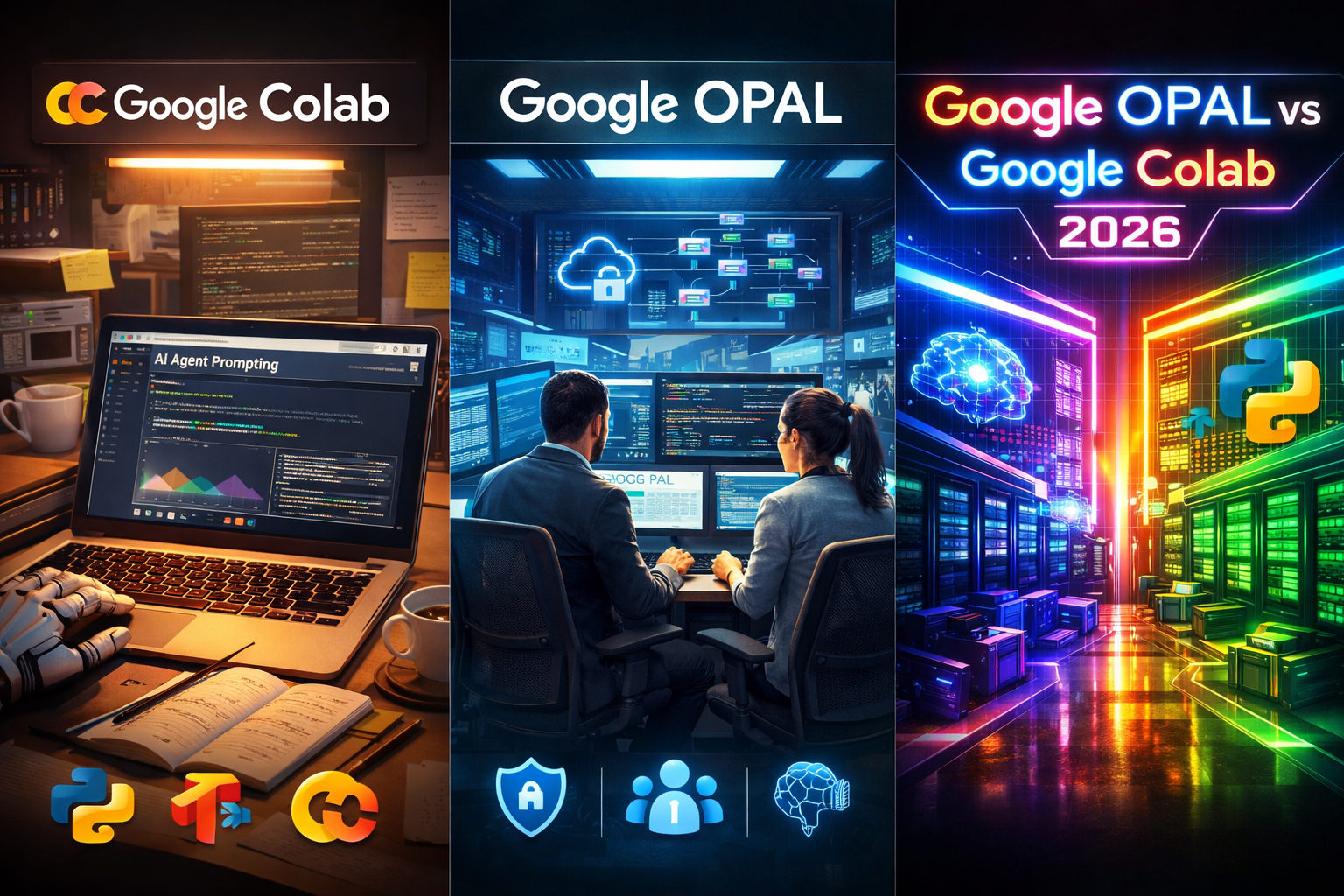
Google OPAL vs Google Colab: What’s the Difference and Which One Should You Use in 2026?
Let’s be honest for a second…
Choosing the right AI or machine learning platform in 2026 is not easy 😅
You hear names like Google OPAL and Google Colab everywhere.
Everyone says their tool is “the best,”… but no one explains it in simple words.
So let me make this easy for you 💙
If you are:
- A developer 👨💻
- A data scientist 📊
- A student learning AI 🎓
- Or even building your first AI project 🤖
This guide is written for real humans, not robots.
In this article, we compare Google OPAL vs Google Colab:
✔️ What they are
✔️ Who should use them
✔️ How they work with Google Cloud
✔️ Which one fits your project in 2026
No complex terms. No confusing explanations.
Just clear answers 👌✨
🤖 What Is Google OPAL? (Simple Explanation)
Google OPAL is designed for serious AI projects and big teams.
Think of Google OPAL as:
🏢 A professional AI workspace
🔐 Built with strong security
⚙️ Made for production, not just testing
It is mainly used by:
- Large companies
- Enterprise teams
- Regulated industries (finance, healthcare, government)
With Google OPAL, teams can:
✔️ Train machine learning models
✔️ Deploy them safely
✔️ Control who can access data
✔️ Track changes and performance
Unlike notebooks, OPAL focuses on long-term AI systems, not quick experiments.
👉 In short:
Google OPAL = Enterprise-level AI on Google Cloud
🏢 When Do Companies Use Google OPAL?
Companies usually choose Google OPAL when they need:
- 🔐 Strong data privacy
- 📜 Audit logs and compliance
- 👥 Team collaboration
- 🚀 Scalable AI systems
For example:
- A bank using AI for fraud detection
- A hospital running ML models on patient data
- A tech company serving AI predictions to thousands of users
In these cases, Google Colab is not enough ❌
They need control, stability, and security—and that’s where OPAL shines.
📓 What Is Google Colab?
Google Colab is a cloud-based notebook that runs in your browser 🌐
You open a page, write Python code, press Run… and it works instantly ⚡
No installation. No setup.
People love Google Colab because:
✅ It’s easy
✅ It’s fast
✅ It’s beginner-friendly
Colab is mostly used by:
- Students 🎓
- Solo developers
- Data scientists testing ideas
- Teachers and trainers
You can:
✔️ Run Python code
✔️ Train small ML models
✔️ Use GPUs and TPUs (with limits)
✔️ Save work to Google Drive
👉 In short:
Google Colab = Fast experiments and learning
🎓 Why Google Colab Is So Popular
Google Colab became popular because it removes barriers 🚪
You don’t need:
❌ Expensive hardware
❌ Local setup
❌ Advanced cloud knowledge
You just:
1️⃣ Open your browser
2️⃣ Start coding
3️⃣ Get results
That’s why Colab is perfect for:
- AI beginners
- Tutorials
- Quick demos
- Testing new ideas
📌 Related internal article:
👉 Build & Sell AI Chatbots Without Coding | Beginner’s Guide 2025
https://techylulublogger.com/build-sell-ai-chatbots-without-coding/
☁️ How Google OPAL and Google Colab Fit Into Google Cloud
Both tools are part of the Google Cloud ecosystem, but they play very different roles.
🔹 Google Colab + Google Cloud
- Connects easily to Google Drive
- Can access BigQuery
- Optional GCP project usage
- Mostly used for experiments
🔹 Google OPAL + Google Cloud
- Deep integration with Google Cloud services
- Works closely with Vertex AI
- Uses Cloud IAM, logging, monitoring
- Built for production ML pipelines
👉 Think of it like this:
- Colab = Entry door 🚪
- OPAL = Full office building 🏢
📊 Quick Comparison Table (Beginner-Friendly)
| Feature | Google Colab | Google OPAL |
|---|---|---|
| Main purpose | Learning & testing | Production AI |
| Setup | None | Needs GCP setup |
| Security | Basic | Enterprise-level 🔐 |
| Best for | Individuals | Teams & companies |
| Scalability | Limited | High 🚀 |
| Cost | Free / Low | Pay-as-you-use |
🔹 Example: Building a Simple AI Agent in Google Colab (Beginner-Friendly)..
🧠 What Is This AI Agent?
This AI agent will:
- Take a user question
- Send it to an AI model
- Return a smart response
Perfect for:
- Learning AI agents 🤖
- Testing ideas fast ⚡
- Tutorials and demos 🎓
📝 Step 1: Open Google Colab
- Go to Google Colab
- Click New Notebook
- Make sure Python 3 is selected
No setup. No installation. Easy 😄
🧩 Step 2: Simple AI Agent Prompt (Example)
Here’s a clean and beginner-friendly AI agent prompt you can use in Google Colab:
# Simple AI Agent Prompt Example

system_prompt = """
You are a helpful AI agent.
Your job is to answer questions in simple English.
Explain things step by step and avoid complex words.
"""

user_prompt = "Explain what an AI agent is in simple words."

print("AI Agent Response:")
print("An AI agent is a smart program that can think, decide, and act to help users.")
✅ Easy to understand
✅ No complex logic
✅ Perfect for learning
🤖 Why This Prompt Works Well
This prompt is great because:
- It clearly defines the AI agent role
- It forces simple language
- It’s reusable for many tasks
You can easily change the user question to:
- “Explain machine learning”
- “Help me write blog content”
- “Act like a customer support agent”
That’s the power of AI agents 💡
⚡ Step 3: Turning This Into a Real AI Agent
In real projects, developers connect this prompt to:
- OpenAI API
- Google Gemini
- Other LLM models
But in Google Colab, this simple structure helps you:
✔️ Test ideas
✔️ Design prompts
✔️ Build logic before production
📌 Related internal article (important for SEO):
👉 Build & Sell AI Chatbots Without Coding | Beginner’s Guide 2025
https://techylulublogger.com/build-sell-ai-chatbots-without-coding/
🧪 Why Google Colab Is Perfect for AI Agent Prototyping
Google Colab is ideal here because:
- 🚀 Fast execution
- 🧠 Easy prompt testing
- 💻 No local setup
- 📊 Visual outputs
That’s why many developers:
➡️ Build AI agents in Colab
➡️ Then move them to production using Google OPAL
🔄 Colab vs OPAL for AI Agents (Real Use)
- Google Colab → Prompt testing & learning
- Google OPAL → Secure deployment & scaling
📌 Internal link suggestion:
👉 Best CrewAI Alternatives for 2026: Smarter AI Agent Frameworks Taking Over
https://techylulublogger.com/best-crewai-alternatives-2026/
🔹 PART 2 (Expanded): Performance, Pricing, Scalability & Real Usage
Google OPAL vs Google Colab in 2026
⚡ Performance: Which Platform Works Faster in Real Life?
When people ask, “Which one is faster: Google OPAL or Google Colab?”
The real answer is: it depends on what you are building 🤔
Let’s explain this in very simple words 👇
🚀 Google Colab Performance (Simple View)
Google Colab is fast at the beginning.
Why?
- It starts instantly
- You get quick CPU, GPU, or TPU access
- You can test code in seconds
This makes Colab perfect for:
- Prompt testing 🤖
- Small ML models
- Data exploration
- Learning and demos
But… ⚠️
Colab sessions:
- Can disconnect
- Have time limits
- Reset environments
So performance is good for short work, not long-running systems.
🏢 Google OPAL Performance (Enterprise View)
Google OPAL is built for long-term performance.
It uses:
- Google Cloud Compute Engine
- Vertex AI
- Managed GPUs & TPUs
This means:
✔️ Stable runtime
✔️ No random disconnects
✔️ Multi-node training
✔️ Faster results for large models
OPAL is not about “fast start” —
It’s about fast results at scale 🚀
📈 Scalability: Small Experiments vs Big AI Systems
This is where the difference becomes very clear.
📓 Google Colab Scalability
Colab is:
- Single-user
- Single-session
- Single-machine
You can’t:
❌ Scale to many users
❌ Run 24/7 AI services
❌ Serve millions of requests
So Colab is best when:
- You work alone
- You test ideas
- You don’t need uptime guarantees
🏗️ Google OPAL Scalability
Google OPAL is designed for:
- Teams
- Products
- Companies
With OPAL, you can:
✔️ Scale models automatically
✔️ Handle high traffic
✔️ Serve predictions via APIs
✔️ Retrain models on schedules
This makes OPAL perfect for:
- SaaS AI products
- Business dashboards
- AI-powered apps
👉 In short:
Colab = small scale
OPAL = enterprise scale
💰 Pricing: Easy Breakdown (No Confusion)
Let’s talk money 💸 (simple & honest)
💡 Google Colab Pricing
- ✅ Free plan available
- ⭐ Colab Pro / Pro+ for better GPUs
- Low monthly cost
Best for:
- Students
- Freelancers
- Solo developers
You pay very little, but accept limits.
💼 Google OPAL Pricing
Google OPAL uses Google Cloud pricing.
You pay for:
- Compute power
- Storage
- Networking
- Managed AI services
This means:
- Costs are higher
- But predictable
- And worth it for businesses
👉 OPAL is an investment, not a hobby tool.
📌 Internal related article:
👉 DeepSeek vs Qwen AI: Which AI Model is Best for Businesses?
https://techylulublogger.com/deepseek-vs-qwen-ai/
🤖 Real Example: AI Agent Workflow (Colab → OPAL)
Many smart teams do this 👇
Step 1: Build in Google Colab
- Test AI agent prompts
- Try logic
- Experiment fast
Step 2: Move to Google OPAL
- Secure the data
- Deploy the agent
- Scale for users
This hybrid method:
✔️ Saves time
✔️ Saves money
✔️ Reduces mistakes
📌 Related internal article:
👉 Best CrewAI Alternatives for 2026: Smarter AI Agent Frameworks Taking Over
https://techylulublogger.com/best-crewai-alternatives-2026/
🔐 Security & Stability (Why Businesses Choose OPAL)
Let’s keep it real 👇
Google Colab Security
- Good for public data
- Not ideal for sensitive info
- Limited access control
Google OPAL Security
- Full IAM controls
- Audit logs
- Enterprise compliance
- Private networks
That’s why:
🏦 Banks
🏥 Hospitals
🏢 Enterprises
👉 Choose Google OPAL.
🔹 PART 3: Use Cases, Migration, Hybrid Workflows & Final Decision
Google OPAL vs Google Colab (2026)
🎯 Real Use Cases: Which Platform Fits Your Project?
Let’s talk real life — not theory 👇
Different projects need different tools.
📓 Use Google Colab When You Need:
- Fast testing ⚡
- Learning AI & Python 🎓
- Trying prompts & ideas 🤖
- Teaching or workshops
Colab works best when:
- You are working alone
- Your project is short-term
- You don’t need strong security
📌 Internal link (related):
👉 Build & Sell AI Chatbots Without Coding | Beginner’s Guide 2025
https://techylulublogger.com/build-sell-ai-chatbots-without-coding/
🏢 Use Google OPAL When You Need:
- Production AI systems
- Team collaboration 👥
- Secure data 🔐
- Stable performance 🚀
OPAL is the right choice for:
- SaaS AI products
- Business dashboards
- Customer-facing AI tools
📌 Internal link (important):
👉 Manus AI vs Qwen AI: The Future of Autonomous AI Agents
https://techylulublogger.com/manus-ai-vs-qwen-ai/
🔄 Hybrid Workflow: The Smart 2026 Strategy
The best teams don’t choose one tool —
they use both together 💡
🧠 Smart Hybrid Flow:
1️⃣ Build & test AI agent in Google Colab
2️⃣ Improve prompts & logic
3️⃣ Move to Google OPAL for production
4️⃣ Scale, secure, and deploy
This approach:
✔️ Saves money
✔️ Reduces risk
✔️ Speeds delivery
📌 Internal link:
👉 Best CrewAI Alternatives for 2026: Smarter AI Agent Frameworks Taking Over
https://techylulublogger.com/best-crewai-alternatives-2026/
🚚 Migrating from Google Colab to Google OPAL (Step-by-Step)
Migration sounds scary… but it’s not 😌
Here’s a simple way to do it:
🧩 Step 1: Prepare Your Work
- Clean notebooks
- Save code separately
- Document requirements
🧩 Step 2: Move Data
- Upload datasets to Google Cloud Storage
- Or BigQuery
🧩 Step 3: Rebuild in OPAL
- Convert notebooks to scripts
- Use Vertex AI pipelines
- Register models
🧩 Step 4: Test & Deploy
- Test in staging
- Monitor performance
- Deploy gradually
📌 External authority resources:
- Google Cloud AI: https://cloud.google.com/ai
- Vertex AI Docs: https://cloud.google.com/vertex-ai
🔐 Security & Governance (Why Enterprises Prefer OPAL)
Security is non-negotiable for businesses.
Google Colab:
⚠️ Limited controls
⚠️ Not ideal for sensitive data
Google OPAL:
✅ IAM roles
✅ Audit logs
✅ Private networking
✅ Compliance-ready
That’s why OPAL is used in:
- Finance
- Healthcare
- Government
🧠 Final Verdict: Which One Should You Choose in 2026?
Let’s make it very clear 👇
✔️ Choose Google Colab if:
- You’re learning
- You want speed
- You want low cost
✔️ Choose Google OPAL if:
- You build real products
- You work with a team
- You need security & scale
💡 Best answer?
👉 Use Google Colab for ideas
👉 Use Google OPAL for production
❓ FAQ (SEO Optimized)
Is Google OPAL better than Google Colab?
Not always. OPAL is better for businesses, Colab is better for learning and testing.
Can I build AI agents in Google Colab?
Yes! Colab is perfect for testing AI agents and prompts.
Is Google OPAL expensive?
It can be, but it’s worth it for production systems.
Can I use both together?
Absolutely. This is the best strategy in 2026.
🌟 Final Thoughts & What’s Coming Next
If you made it this far — thank you 💙
That means you’re serious about learning AI and choosing the right tools in 2026.
At TechyLuluBlogger, we don’t just talk about AI…
👉 We break it down, simplify it, and show you how to actually use it in real life.
🚀 If you want to stay ahead in:
- Artificial Intelligence
- AI agents
- Machine learning tools
- New Google AI platforms
👉 Make sure you follow TechyLuluBlogger and check the site regularly.
✨ We publish:
- Easy AI guides
- Honest comparisons
- Beginner-friendly tutorials
- Real use cases you can apply today
And here’s something exciting… 👀💥
🔥 A special AI project is coming soon — built especially for the TechyLuluBlogger community.
It’s something we’ve been working on quietly… and we can’t wait to share it with you 🤫🤖
So stay tuned, bookmark the site, and don’t miss what’s next 💫
The future of AI starts here — with you.
💙
— TechyLuluBlogger Team

My name is Daly, the owner of Blog
techylulublogger.com
I founded this Blog to support women, especially mothers, in setting up their online businesses.